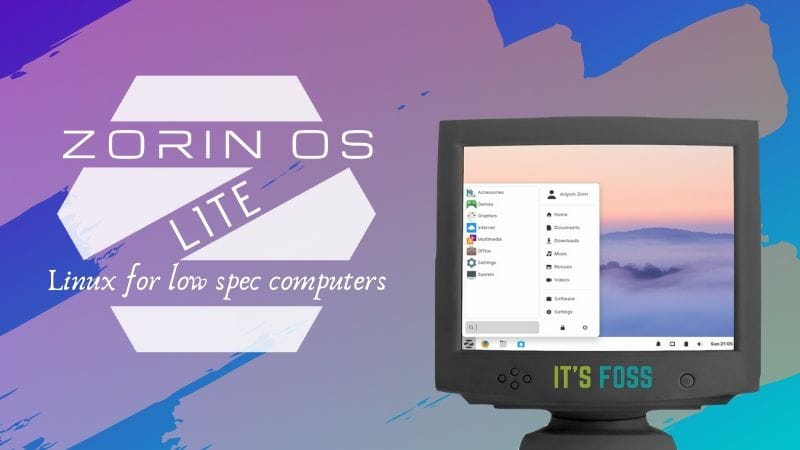
Is your PC slow? Do you want it to run faster? Linux might be the answer. Linux is a type of software. It can make old computers work better. Many versions of Linux exist. We call these versions “distros.” Some distros are perfect for low-end PCs. Let’s explore them!

Why Choose Linux for Low-End PCs?
Linux is lightweight. This means it doesn’t need much power to run. Old PCs often struggle with heavy software. Linux helps them perform better. It is also safe. Viruses are rare on Linux. Plus, it’s free! You can save money using Linux.

Top Linux Distros for Low-End PCs
Here are some great Linux distros. They work well on low-end PCs.
1. Puppy Linux
Puppy Linux is small. It uses very little memory. Puppy Linux is fast. It starts quickly and runs smoothly. You can even run it from a USB stick. Puppy Linux is easy to use. It is a good choice for beginners.
2. Lubuntu
Lubuntu is part of the Ubuntu family. It is light and simple. Lubuntu uses the LXQt desktop. This desktop is clean and easy to navigate. Lubuntu runs fast on old hardware. It is great for everyday tasks. Like browsing the web or writing documents.
3. Xubuntu
Xubuntu is another Ubuntu version. It uses the Xfce desktop. Xfce is lightweight. It doesn’t use many resources. Xubuntu is stable and reliable. It offers a smooth experience. Xubuntu is perfect for low-end PCs.
4. Linux Lite
Linux Lite is user-friendly. It feels like Windows. So, it is a good choice for Windows users. Linux Lite is fast. It doesn’t need much power to run. This makes it ideal for older PCs. Linux Lite also comes with helpful guides. These guides make learning easy.
5. Mx Linux
MX Linux is popular. It is designed for beginners. MX Linux is lightweight and efficient. It offers great performance. Even on old computers. MX Linux is easy to install. It is perfect for new Linux users.
6. Peppermint Os
Peppermint OS is light and fast. It uses cloud applications. This means less work for your PC. Peppermint OS is smooth and responsive. It runs well on low-end hardware. Peppermint OS is a smart choice for web-based tasks.
7. Arch Linux
Arch Linux is customizable. You can make it fit your needs. Arch Linux is very light. It uses few resources. This makes it great for old PCs. Arch Linux is for experienced users. It needs careful setup.
How to Choose the Right Distro?
Think about your needs. Do you want speed? Choose a lightweight distro. Are you new to Linux? Pick one that is easy to use. Like Linux Lite or MX Linux. Do you like to customize? Try Arch Linux. Always read reviews. They can help you decide.
Installing Linux on Your PC
Ready to try Linux? First, download the distro. You can find it on the official website. Then, create a bootable USB stick. You’ll need special software for this. Like Rufus or Etcher. Next, restart your PC. Boot from the USB stick. Follow the installation steps. It’s simple!
Frequently Asked Questions
What Is The Best Linux Distro For Old Pcs?
Lubuntu is excellent for old PCs. It’s lightweight and fast. Perfect for low-end hardware.
Can Linux Run On 1gb Ram?
Yes, Linux can run on 1GB RAM. Use lightweight distros like Puppy Linux or Tiny Core.
Why Choose Linux For Low-end Pcs?
Linux is efficient and resource-friendly. It runs well on older hardware, providing a smooth experience.
Is Linux Mint Good For Low-end Pcs?
Yes, Linux Mint is user-friendly and works well on low-end PCs. It’s a popular choice.
Conclusion
Linux can breathe new life into old PCs. Lightweight distros offer great performance. Even on low-end hardware. They are also safe and free. Try one today. You might be surprised!
Remember, each distro is different. Choose one that fits your needs. Happy computing!
Read More:
- Zero‑Trust Security Platform Reviews: Unbiased Insights
- Smartwatch With ECG And Sleep Tracking: Revolutionize Health
- Wearable Health Devices for Seniors: Revolutionize Wellness
- Macbook Air Vs Dell Xps: Ultimate Laptop Showdown
- Ultrabook Battery Life Rankings: Top Performers Revealed
- Trade-In Programs for Android Phones: Maximize Your Value
- Best Generative Ai Platforms 2025: Revolutionize Creativity
- Best Fitness Tracker With Subscription: Top Picks Revealed
